
Your personal fitness coach. Right at home.
Set down your iPhone. Delva plans your workout, counts your reps, and talks you through your sets.

Your goals.
Your plan.
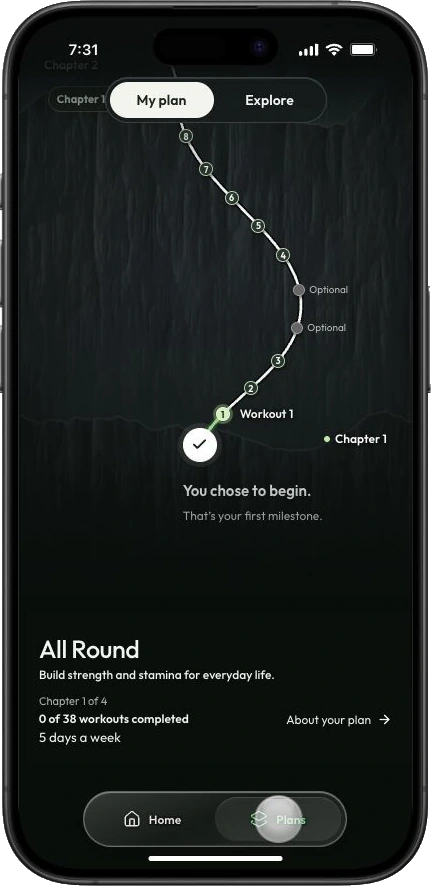
Choose what you want to work toward and how often you can train. Open Delva to see the workout that fits into your week.
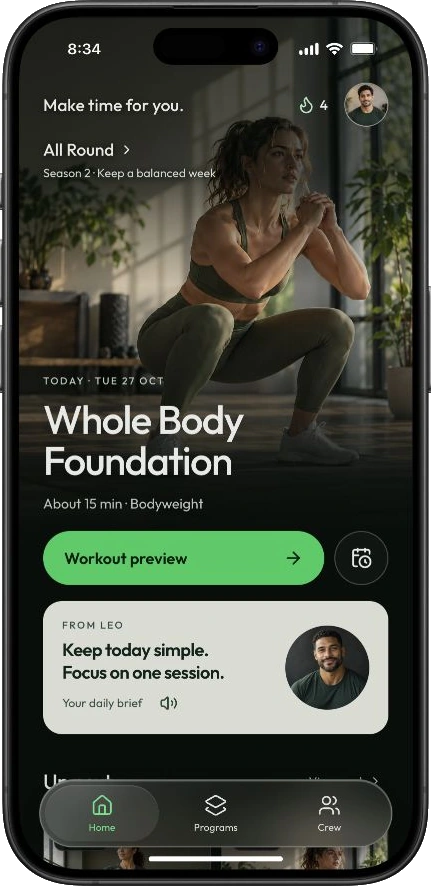
In the All Round plan, a day can start with Whole Body Foundation — about 15 minutes of bodyweight work.
Coaching you
can hear.
From warm-up to cooldown, Delva guides the session. Your iPhone camera counts reps on supported exercises, and a spoken cue can help you adjust your form for the next one.
“More depth next rep.
Take it slowly.”
Know what to
work on next.
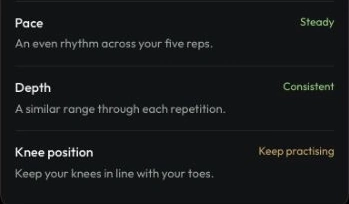
Follow the workouts you’ve finished along your training path. After each session, your summary brings together your reps, pace, and form so you know what to practice.
The pace was steady in this squat set. The cue for next time is to keep the knees in line with the toes.

Before you
start.
What do I need at home?
An iPhone, somewhere stable to set it, and enough room to step back into view. The bodyweight workout shown here uses your own body for resistance.
How does Delva count my reps?
Delva uses your iPhone camera to follow points on your body as you move. The feedback it can give depends on the exercise.
What happens to my camera video?
The App Store version analyzes the live camera picture on your iPhone. It does not record or save workout video or upload camera images. The Privacy Policy explains movement data and how test versions differ.